
Show clients why a floor plan works.
Design Analytics scores every layout alternative on six dimensions, from program balance to per-seat privacy. Compare options side by side and show your clients the evidence behind your choice.
Compare
Open a project, select Analytics and pick up to three layout alternatives to see side by side.
Score
Each alternative gets an overall score and a score per category, measured against benchmark ranges you set.
Share
Export a report, copy visuals into your deck, or send clients a view-only link. Edit in Studio and re-score.
Six ways to read a floor plan
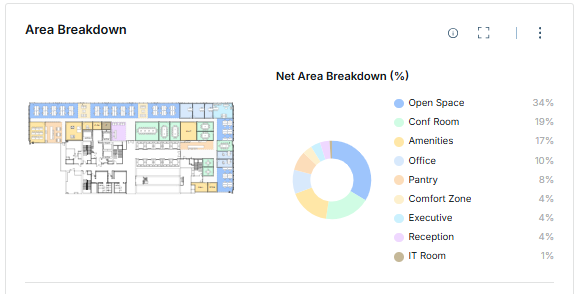
Program Mix & Density
Is the program balanced for the people who will use it?
Net area by space type, usable and peak density, the enclosed and open split, and seat ratios, each checked against benchmark ranges.
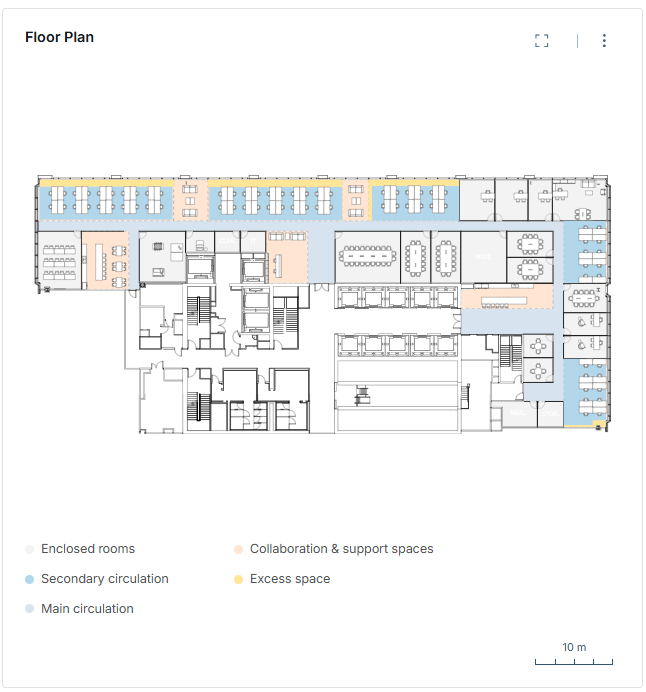
Layout Efficiency
How much of the floor is working space?
Splits usable area into rooms, open space, main and secondary circulation and excess space, so overbuilt corridors and leftover pockets stand out.
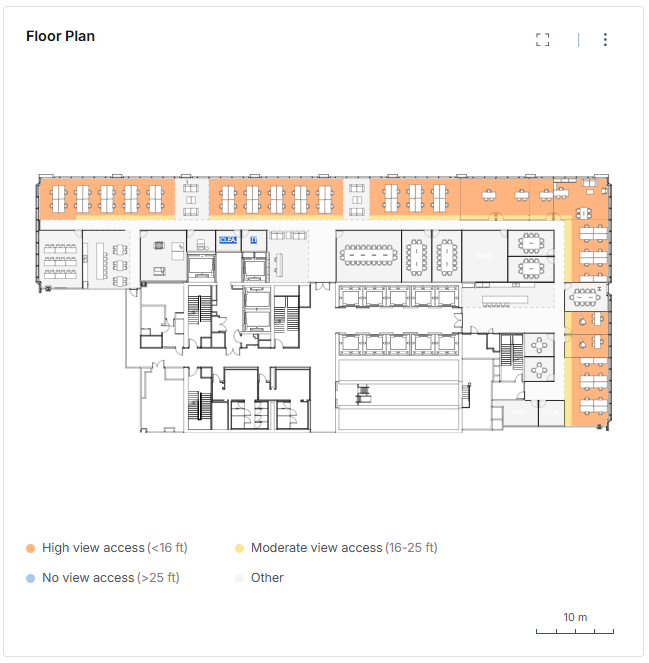
Daylight & Views
How close is every seat to daylight and views?
Measures each work seat’s distance and line of sight to the nearest glazing and bands it under 16 ft, 16–25 ft or beyond, following WELL distance bands.
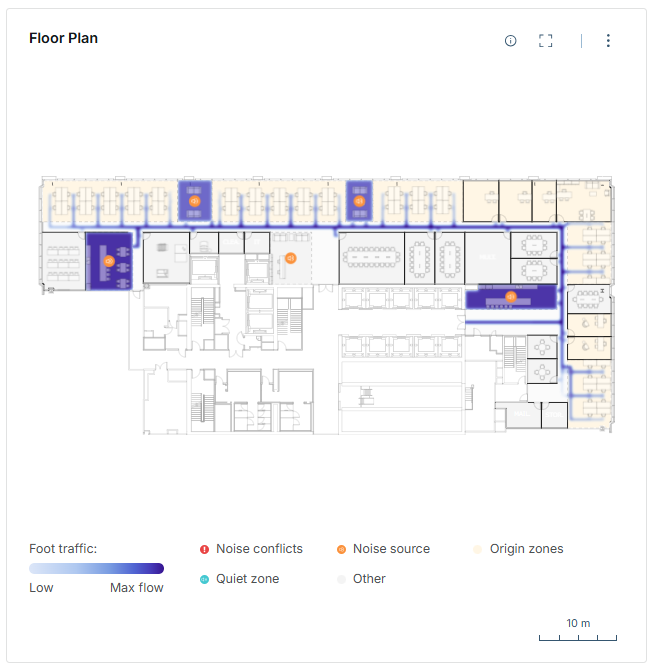
Flow Efficiency
Where will people walk, before anyone moves in?
A travel model predicts daily foot traffic from seats to shared destinations, and flags quiet rooms that sit on busy routes or next to noise.
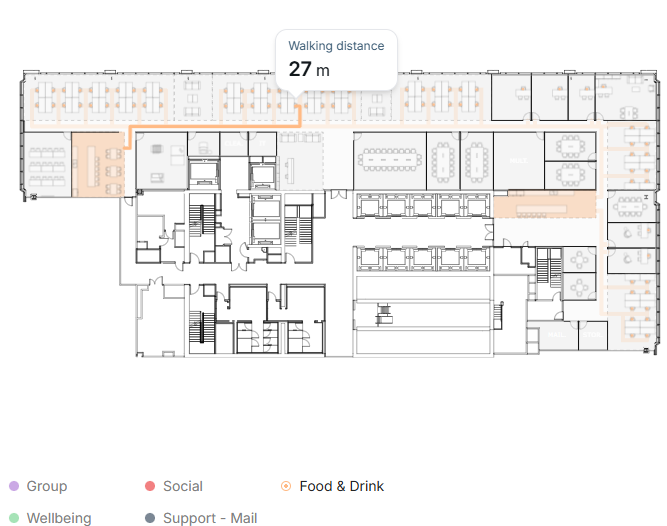
Proximity to Shared Spaces
Can every seat reach the spaces it needs?
Measures walking distance from every seat to meeting, social, food and drink, wellbeing and support space, and flags rooms that are overloaded or out of reach.
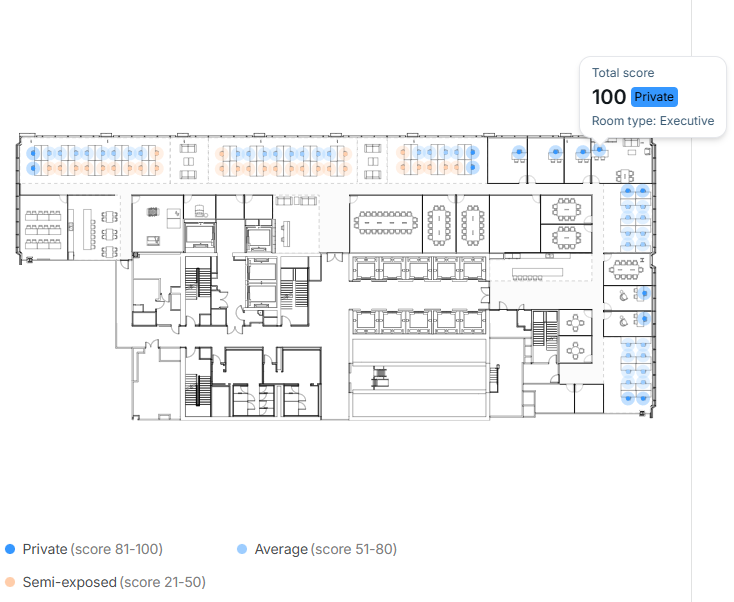
Privacy Assessment
Which seats support focused work?
Scores every seat’s visual privacy from sightlines, exposure to circulation and orientation, and grades it from Private to Exposed.
Architects and designers
Show clients the reasoning behind a layout, not just the layout.
Workplace and real estate teams
Compare options and sites on the same scores, against your own standards.
Brokers and owners
Give prospects a plan that makes its own case.
Design Analytics is a design-stage assessment that supports professional judgment; it doesn’t replace it. Flow is predicted, not measured. Daylight scores potential daylight from the layout and doesn’t account for location, weather or season; it is not a WELL certification.
Get it switched on for your account
Design Analytics is available on request. Ask your qbiq rep to switch it on and walk you through it.