
Last updated May 2, 2026
AI is changing workplace design by allowing teams to generate and compare office layouts quickly instead of relying on manual planning. Modern offices are built for flexibility, hybrid work, and employee experience, and AI helps translate those needs into real layouts. The result is faster decisions, better use of space, and offices that adapt over time.
The modern office is changing quickly. Workplace design trends are shifting to meet new demands. Flexibility, sustainability, and technology are all shaping how spaces are planned today.
AI is becoming part of that shift. It gives teams a way to explore layouts, test ideas, and make decisions earlier - before time is lost in revisions.
Flexible workspaces are no longer optional. They support different work styles and help organizations respond to change without constantly redesigning their space. Sustainability is also becoming harder to ignore, with more attention on long-term efficiency and employee well-being.
Collaboration still matters, but it is no longer the only priority. Offices now need to balance interaction with focus, openness with control.
Industry data reflects this change. Reports from CBRE and Gensler show that companies are actively prioritizing flexibility and experience in workplace planning. Two reports from CBRE and Gensler attest to that clearly
AI systems are helping translate those priorities into something tangible. Instead of guessing, teams can see how a space might actually work. qbiq’s AI space planning is just one example of that.
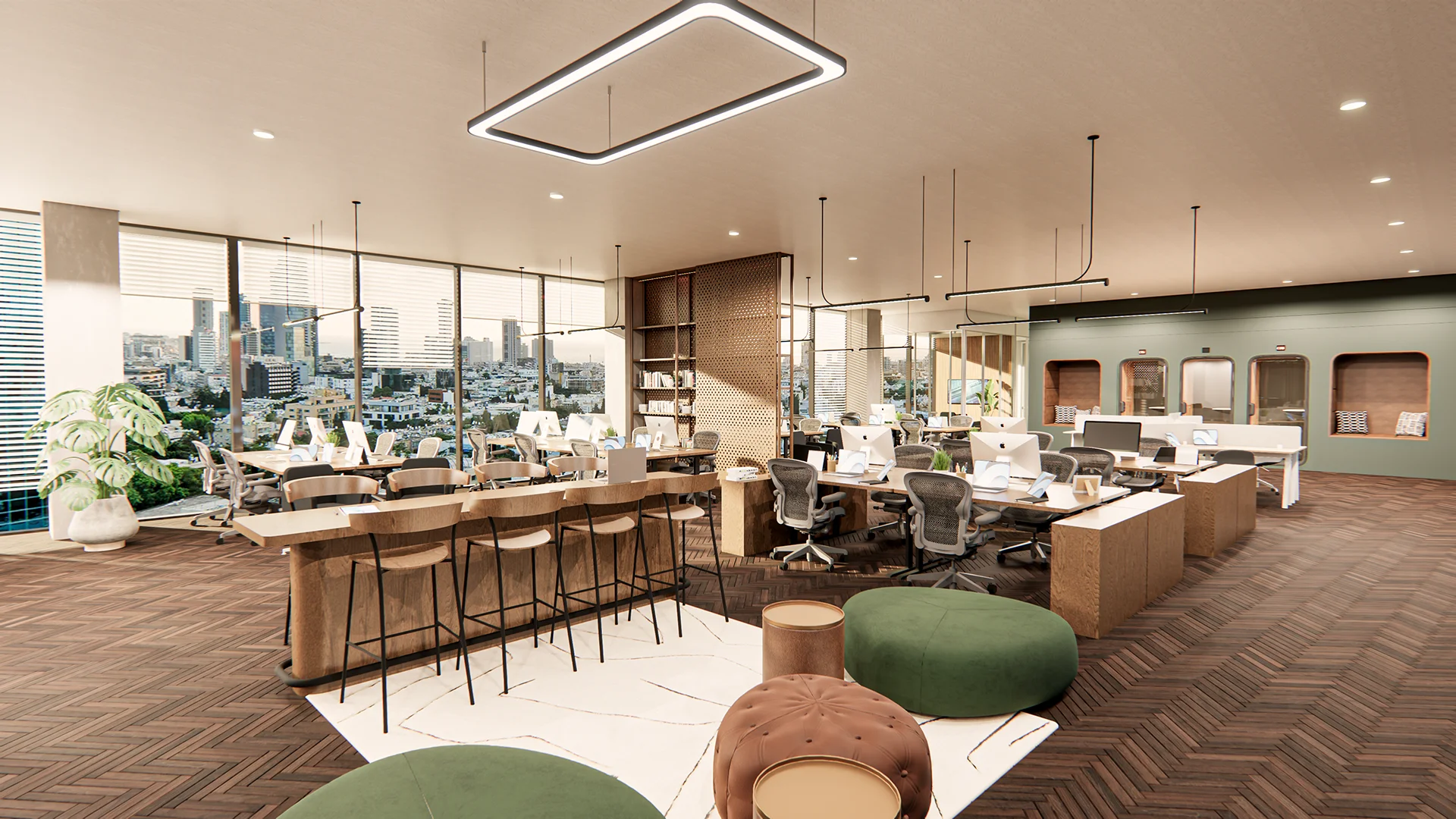
The Evolution of Workplace Design Trends: From Cubicles to Collaboration
Office design has never been stagnant. It has always had to respond to how work is organized.
Cubicles were designed to create an atmosphere of order and focus. They did that well. But they did that at the cost of isolation.
Open-plan offices pushed in the opposite direction. They made collaboration easier, but introduced constant noise and distraction. We’ve all experienced that!
Most modern offices sit somewhere in between. That’s not by accident. It’s because neither extreme works on its own.
You’ll typically find a mix:
- shared collaboration zones
- quiet areas for focused work
- flexible desks
- enclosed rooms when privacy is needed
What has changed is the mindset. Offices are no longer built around a single idea of work. They are built around variability.
A simple way to look at it:
That last point is key. .
It’s important to realize that flexibility only works if it is designed deliberately. AI makes that flexibility possible by letting teams compare options early, instead of adjusting late.
In several enterprise projects, teams have been able to review multiple layout options in a single working session. This is something that previously took days or weeks.
Key Designs Shaping Modern Offices
There isn’t one dominant office design philosophy anymore. Most offices are built by layering different approaches together.
Some organizations lean toward flexibility. Others prioritize collaboration. Some focus heavily on well-being. In reality, all of these tend to overlap.
That’s where things get complicated.
A layout that maximizes density might reduce collaboration space.
A layout designed for collaboration might compromise focus.
These tradeoffs are difficult to resolve without testing them. They are difficult to see, let alone, evaluate.
That’s why AI can play an important role in making those tradeoffs visible.
Instead of debating ideas in the abstract, teams can generate layouts that reflect real constraints (like movement, occupancy, adjacency) and see how they perform.
A few patterns show up repeatedly:
- layouts that can evolve without major redesign
- environments that support different work modes
- decisions based on usage rather than assumption
- closer alignment between space and operations
This is part of a broader shift. Office space is no longer treated as fixed infrastructure—it is treated as something that can be optimized.
Designing for Flexibility: Cubicles, Open Spaces, and Hybrid Work
Flexibility sounds simple, but it’s difficult to implement well.
It’s not just about adding open space or removing assigned desks. It’s about designing a system that can absorb change without breaking.
AI tools help here by allowing multiple configurations to be tested quickly.
A team might explore:
- modular workstations that can be reconfigured
- shared desks for hybrid schedules
- collaboration zones that expand or contract
- meeting spaces that serve different purposes
Then compare them, side by side.
A practical example
For example, a company planning for hybrid work. They might test:
- a partially assigned seating model
- a fully flexible model
- a team-based layout
Each option affects circulation, density, and collaboration differently.
Without AI, this would take multiple iterations. With it, the comparison can happen upfront.
That changes the decision from “what should we design” to “which option works best.”
This is not just theory. This is best practice with AI. CRE leaders like Leon Pantelic from WeShare have found that they have used technology to iterate quickly (in hours), and win more deals and be more responsive and flexible to occupiers' needs. The WeShare team have slashed 60% of their fit-out time and 73% of their planning costs with qbiq.
Luxury Modern Office Design and Corporate Decor with AI
Some offices are designed to function. Others are designed to communicate something.
In many cases, they need to do both.
AI tools make it easier to explore how a space will actually feel. That’s sometimes as important as how it performs.
That includes:
- spatial proportions
- material choices
- lighting conditions
- layout flow
Instead of relying on interpretation, teams can see variations directly.
This becomes especially relevant when brand matters. Offices are often part of how a company presents itself to clients, to employees and to partners.
What changes with AI is not creativity. It’s the ability to evaluate options earlier.
Instead of committing to one direction and refining it repeatedly, multiple directions can be explored in parallel. When teams can see and understand their trade-offs, the are better able to make decisions that reflect their office priorities.
A compelling example of this is when an architecture firm is able to surface those options and highlight the trade offs and present a compelling new layout for a client. The team at Sanilevich did just that. They reinvigorated a dated space and made it a compelling, luxurious office work environment. Using AI, they were able to quickly envision how a dated, empty space can come to life with layouts, data, renders and 3D visualizations. And, the impact was clear. Their use of AI to deliver these more luxurious design to potential clients gave them a higher close rate-40% higher.
And that tends to lead to better alignment, and fewer late-stage changes.
Lighting, Acoustics, and Biophilic Elements in AI-Generated Plans
Some of the most important decisions don’t stand out at first glance.
Too many test fits focus on simply the number of offices and the seats. That is only a baseline. That does not help create a sense of space. How will it work? How will it feel?
That’s the important step that is often missing for over-stretched designers. They are focused on managing only the basic requirements that a client provides. They do not have the bandwidth or freedom to investigate and design aspects that reflect a clients true office intent.
Lighting, acoustics, and environmental quality shape how a space is experienced day to day.
AI helps bring those considerations into the planning phase, rather than leaving them until later.
Lighting is a good example. It’s not just about brightness. it’s about distribution. Where workstations sit in relation to natural light can make a noticeable difference.
Acoustics are harder to fix after the fact. Poor planning leads to distraction. Good planning creates separation without relying entirely on walls.
Biophilic elements add another layer. Natural materials and greenery can change how a space feels, even when the layout stays the same.
If you break it down:
- lighting affects comfort and energy use
- acoustics affect focus
- natural elements affect well-being
Individually, they seem minor. Together, they define the environment.
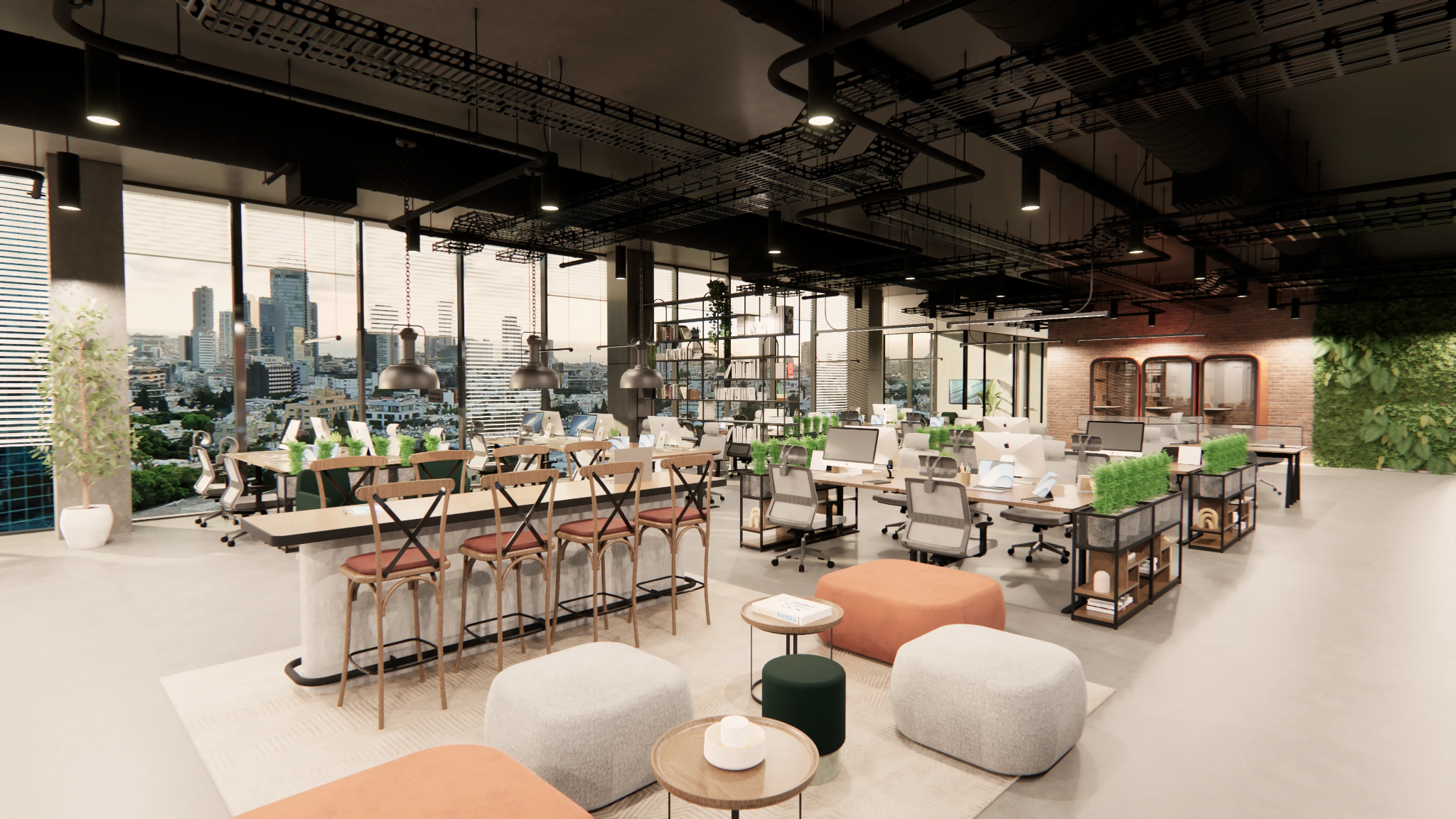
AI CAD Design: Smarter Office Building Plans and Build Outs
The transition from planning to execution has always been a bottleneck.
Layouts are created, then translated into CAD or BIM, then revised again. Each step adds time.
AI reduces that friction.
Instead of producing layouts that need to be recreated, platforms like qbiq generate outputs that can move directly into technical workflows. So once you’ve planned something that everyone can align on, it means that you are a click away from moving that into action. Read about how qbiq works with architect and design build companies.
Smooth integration into workflows is critical as it changes timelines more than anything else.
What improves
- fewer handoffs between teams
- less duplication of work
- faster movement into build-ready plans
In practical terms, teams have been able to go from initial layout to review-ready output within a day.
Using advanced design tools that seamlessly integrate does more than save time. It avoids rework and errors, and fundamentally changes how early decisions are made.
Designing for Hybrid and Remote Work: Adapting to New Realities
Hybrid work has changed what an office is expected to do. It is no longer designed for full occupancy, and it rarely supports a single way of working.
Spaces now need to handle variation. Some days are quiet. Others are busy. Some teams collaborate heavily, while others need uninterrupted focus.
That makes flexibility a baseline requirement.
Design decisions typically come down to a few key questions:
- how much space is shared versus assigned
- how meeting rooms support both in-person and remote participants
- how layouts adapt to fluctuating occupancy
Technology is part of the layout itself. Weak audio or poor connectivity can disrupt collaboration even in a well-designed space.
In practice, teams are using AI planning tools to test different scenarios before committing. Instead of guessing, they can compare layouts based on real usage patterns.
That step alone tends to prevent common mistakes, especially overbuilding or underutilizing space.
Coolest Coworking Spaces and Best Flexible Office Space Brands
Coworking spaces are built around adaptability. They bring together different users and still manage to function smoothly.
Most successful spaces combine open areas, private offices, and shared amenities. The balance between them is what makes the environment work.
A few characteristics show up consistently:
- layouts that can be reconfigured quickly
- strong technology integration across shared zones
- spaces that encourage interaction without forcing it
- attention to sustainability and long-term efficiency
There is also a social layer. Community events and shared areas influence how the space is used, often just as much as the layout itself. While ‘cool’ is not often associated with functionality, this can be one of those intangible layers that needs to be established in coworking to fulfill its social purpose.
From a planning perspective, coworking environments are useful examples of flexibility done well. They are designed for constant change.
Operators are increasingly using AI tools to test different configurations based on occupancy and tenant mix. This reduces the need for repeated redesign and keeps the space adaptable over time.
Contemporary Office Design Ideas: Inspiration for Every Space
Contemporary office design often appears simple, but the decisions behind it are deliberate.
Open layouts are common, yet they are rarely left fully open. Subtle zoning helps prevent spaces from feeling overwhelming.
Materials and finishes follow a similar pattern. Minimal palettes are used, but they are balanced with texture and natural elements to maintain warmth.
Common elements include:
- strong use of natural light
- ergonomic furniture designed for long-term comfort
- technology integrated into everyday workflows
- clean lines with limited visual clutter
These ideas are widely used, but their effectiveness depends on how they are applied.
Instead of relying on reference images, teams can now generate layouts that reflect these principles directly within their own space. That makes contemporary design more practical and less abstract.
When Rooms used qbiq’s technology, they were able to capitalize on their spaces and turn even smaller spaces into more opportunities for revenue. Specifically, Rooms boosted their revenue 13% through optimized layouts. This shows how smart early stage planning, with data-based decision can create ongoing revenue streams.
Designing Small Collaborative Office Spaces: Maximizing Utility
Small offices leave very little room for inefficiency. Every element needs to justify its place.
The goal is not to fit more into the space. It is to make the space function better.
This often leads to practical decisions such as:
- using furniture that serves multiple purposes
- prioritizing vertical storage over floor space
- keeping pathways clear to maintain flow
Noise becomes more noticeable in compact layouts. Without planning, it spreads quickly and affects concentration.
There is also a balance to maintain. Collaboration should be supported, but not at the expense of usability.
One approach teams are taking is to test multiple compact layouts early in the process. AI tools make it possible to compare options that might otherwise look similar but behave differently in practice.
That visibility helps avoid costly adjustments later.
Feng Shui Office Layouts with Windows: Light, Energy, and Productivity
Feng shui principles continue to influence some workplace designs, particularly in how space and light are arranged.
Windows play an important role. They affect both visibility and how the space feels throughout the day.
A few practical considerations guide these layouts include positioning desks to receive natural light without glare, maintaining clear sightlines across the space and avoiding overcrowded or blocked areas.
These decisions are often subtle, but they shape how comfortable and balanced a space feels.
What has changed is how they can be evaluated. Instead of relying on static rules, teams can visualize how light interacts with a layout and adjust accordingly.
This makes it easier to apply these principles in a practical and measurable way.
Office Build Outs: Planning for Growth and Change
Office build outs need to account for change. A layout that works today may not work as teams grow or restructure.
Planning for flexibility early reduces the need for disruptive redesign later.
A simple way to frame this:
These priorities are closely connected. Decisions made early tend to carry through the entire project.
Technology integration is often the starting point. If infrastructure is limited, flexibility becomes harder to achieve later.
AI-supported workflows help reduce friction at this stage. Layouts can move directly into technical design without needing to be recreated.
https://www.qbiq.ai/solutions/architects-construction
In practice, this shortens planning timelines and improves coordination between teams.
The Future of Workplace Design: Trends to Watch
Workplace design is moving in a clear direction, even if the details vary. We’ve see that offices are now:
- more adaptable
- more responsive to usage
- more focused on experience
Hybrid work continues to shape layouts. So does the growing emphasis on well-being.
Research from JLL highlights how organizations are investing in flexibility as a long-term strategy, not a temporary adjustment. That’s how JLL sees the future of work.
What stands out is how quickly these changes are being implemented.
The gap between idea and execution is shrinking.
From Hybrid Work to Wellness Spaces: qbiq Powers Design Trends
These trends are not theoretical. They are already being applied.
AI tools like qbiq make it possible to translate ideas like hybrid work and wellness into real layouts. That includes:
- generating multiple layout options
- comparing different workplace strategies
- integrating planning with execution
This changes office planning and decision timing.
Instead of refining one design repeatedly, teams can evaluate several options early and move forward with more confidence. And, seeing qbiq’s client success stories, its clear that this drives impact
- shorter planning cycles
- better alignment across teams
- fewer redesign phases
The benefit is speed and clarity. And those capabilities impact offices in real life scenarios. That’s the power of advanced architectural space planning.
Final Thoughts: Designing the Future Workplace with AI
Workplace design is becoming more flexible, more iterative, and more grounded in real data.
AI plays a role in that shift—not by replacing design, but by changing how decisions are made.
Instead of working through a single idea, teams can explore multiple directions and choose what works best.
That leads to better outcomes:
- faster timelines
- more efficient use of space
- layouts that reflect how people actually work
The office itself hasn’t disappeared.
But the way it is designed is changing—and that’s where the real impact is.






.png)


